
logo
SintroCat

Read clicks, impressions, CTR and average position from your GSC account in plain language to get recommended next steps.

Connect your GSC account and Sintrocat reads google search console data for clicks, impressions, CTR, and position and recommends what to act on.

Sintrocat AI SEO tool answering a keyword research question in plain language

Read Google Search Console Data

This is an ai-generated page and could contain misleading information.Please verify any information first before take any action.

Google search console data, Turned Into a Next Step

What google search console data is and why it matters

Google Search Console data is the first-party performance feedback Google provides about how your site appears in organic search. This includes clicks, impressions, CTR, and average position per page and keyword. For teams focused on measurable SEO outcomes, reading google search console data directly reduces guesswork and surfaces the signals that indicate whether content updates, technical fixes, or link work are needed.

Knowing your gsc data is central to modern search strategies because it is unfiltered, user-level performance information. When marketers and SEOs use first party seo data, they can prioritise changes that move real traffic metrics rather than relying solely on third-party estimates.

What you can learn from GSC data

  • Which queries send clicks to your pages.
  • Which pages have rising impressions but low CTRs.
  • Where average position improvements are stagnating.
  • Which pages lose visibility after site changes.

Each of these insights lets teams choose between content edits, metadata changes, or technical audits. That is why the right seo reporting tools and workflows that read google search console data are valuable to in-house SEO and agency teams.

How reading google search console data typically works

  1. Connect your GSC account. Sintrocat reads the performance data directly from the user's own GSC account. This avoids manual CSV exports.
  2. Specify a scope: site-wide, property, or up to 10 URLs for URL inspection. Sintrocat uses those limits to fetch first-party seo data relevant to your question.
  3. Review plain-language insight. Instead of a raw table, get a recommended next action the team can implement.
  4. Generate a shareable HTML report that documents the data pull and recommended steps.

This step-by-step flow is how teams move from noisy metrics to a focused plan of action without hours of spreadsheet work.

Who benefits from reading google search console data in plain language

  • In-house SEO and content teams that need to prioritise work with limited bandwidth.
  • Agencies that must convert technical data into client-focused recommendations.
  • Product and growth teams that require first-party signals to justify experiments.

If you are responsible for search performance and currently export CSVs from GSC, using conversational access to gsc data can save time and reduce analyst friction.

Common use cases for this data

  • Recovering from a traffic drop: identify pages with position loss and falling clicks.
  • Prioritising content refreshes: find pages with high impressions but low CTR.
  • Validating A/B tests: inspect clicks and position before and after a change.
  • Reporting to stakeholders: create concise SEO reports that link metrics to actions.

How Sintrocat interprets google search console data (example workflow)

  1. You ask in plain language: “Which pages lost clicks last month?”
  2. Sintrocat reads your GSC account and retrieves clicks, impressions, CTR, and position for the specified period.
  3. It highlights pages where clicks dropped while impressions stayed flat, indicating a CTR or SERP feature change.
  4. Sintrocat recommends targeted next steps — update title tags, review meta descriptions, or run a SERP analysis.

Expert tip: Pairing gsc data with SERP analysis and rank tracking gives a clearer root cause. Use first-party signals first, then consult competitor SERP snapshots.

Integrations and data sources to be aware of

Sintrocat uses the user's own Google Search Console account for first-party data. It also runs its SEO infrastructure for keyword, SERP, backlink, and rank data via DataForSEO. When you ask the agent to read google search console data, it combines these sources where relevant and reports back with a recommended next action rather than raw tables.

When to use human analysis versus an automated read

  • Use automated, conversational reads when you need quick prioritisation and plain-language next steps from GSC metrics.
  • Use detailed manual audits when you need a full technical crawl or site-wide deep technical analysis (Sintrocat does not perform full site crawling or exhaustive technical audits).

Why this matters for reporting workflows

Traditional seo reporting tools often produce dashboards and exports that still require interpretation. Teams can get stuck in data triage rather than action. By reading google search console data in plain language and producing an action recommendation, teams reduce friction and focus resources on tasks that move clicks and impressions.

Practical example: prioritising a content refresh

  • Identify pages with rising impressions and falling CTR using your GSC account.
  • Evaluate meta title and description differences on the highest-impression pages.
  • Update copy and track results in the following weeks using rank tracking and GSC performance metrics.

Sintrocat positions this as an example workflow rather than a hard sell: it demonstrates how connecting GSC to a conversational agent can speed decision making compared with manual exports and spreadsheet analysis.

Final considerations

Accessing google search console data through a conversational agent reduces manual work, surfaces clearer next steps, and keeps your team focused on changes that affect traffic. When combined with other SEO signals — keyword research, SERP snapshots, backlink overview, and rank tracking — the first-party seo data from GSC becomes the north star for prioritisation and reporting.

Sintrocat reads your GSC account, pulls the metrics you care about, and recommends the next action so your team can implement changes faster without re-exporting and re-analysing raw data.
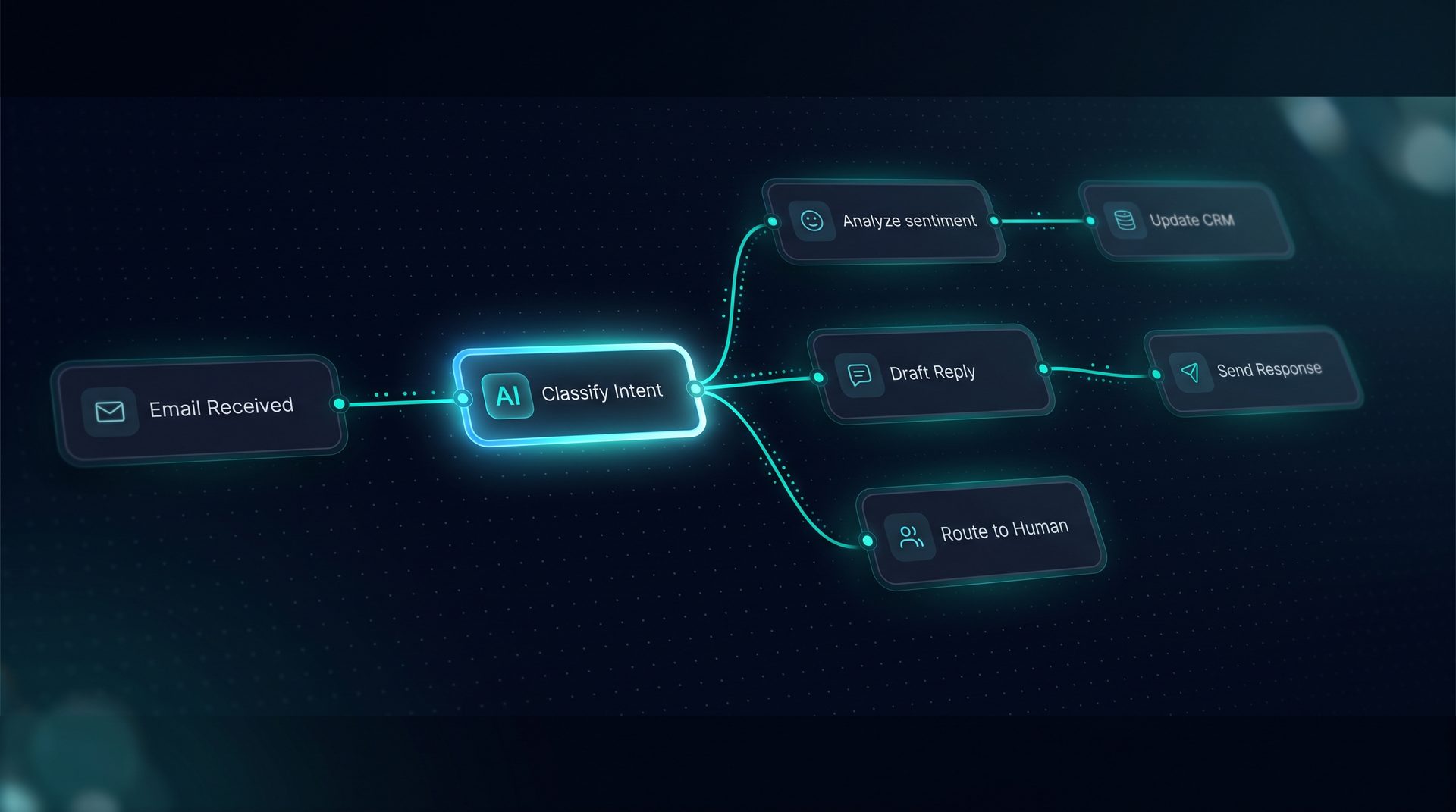
The AI SEO operator that does the thinking.

Describe the SEO task. Get the answer and the next move.
Introducing Sintrocat

Describe the SEO task. Get the answer and the next move.

Sintrocat is an AI SEO operator, not another dashboard. You ask in plain language, it decides which data to pull from its own hosted SEO infrastructure, and it hands back a recommendation you can act on — keyword research, live SERPs, rankings, backlinks, local SEO, GSC reads, and ChatGPT visibility. Your goals, competitors, and research history stay in project memory, so each session starts where the last one ended.

  • Conversation is the main interface
  • Your business context carried forward
  • Works inside Claude, Cursor, and Codex
7
SEO capabilities in one chat
10
URLs inspected per GSC call
1
Persistent project context
Core capabilities

Everything your SEO needs, without figuring it out yourself

Keyword & SERP Intelligence

Keyword & SERP Intelligence

Runs AI keyword research with volume, difficulty, CPC, and intent, and fetches live Google organic results to map competitor domains and surface gaps.

Rank, Backlink & Local SEO

Rank, Backlink & Local SEO

Reads tracked positions, compares backlink footprints and audits Google Business Profiles, full SEO automation software for local and organic growth.

GSC, AI Visibility & Reports

GSC, AI Visibility & Reports

AI SEO optimization that reads first-party Search Console data, tracks how your brand appears in ChatGPT answers and citations, and generates and saves HTML reports.

Other features:
Keyword research
Live SERP analysis
Rank tracking
Backlink overview
Local SEO

Frequently asked by SEOs

Sintrocat integrates with your Google Search Console account through the account connection settings. Once you authorise the connection, Sintrocat reads first-party performance metrics — clicks, impressions, CTR, and average position — for the properties you permit. The agent uses that data to generate plain-language insights and recommended next actions. Sintrocat does not proxy your GSC account; the data is read directly from your account. This ensures the performance figures reflect Google's own reporting and remain aligned with your first-party seo data.
Yes. When you ask for URL-level details, Sintrocat can read up to 10 URLs per call from your connected Google Search Console account, returning clicks, impressions, CTR, and position along with index and canonical signals where available. This is useful for targeted troubleshooting of key landing pages. The agent synthesises results and suggests practical next steps based on the data, helping teams prioritise fixes without manual exports.
Sintrocat is designed to complement existing seo reporting tools by converting GSC metrics into plain-language recommendations. It reads your google search console data directly and presents prioritized actions, reducing time spent interpreting exports. For teams that need full dashboarding or specific visualisations, continue using your reporting tools; use Sintrocat for quick, action-focused analysis built from first-party seo data and for generating concise HTML reports.
Sintrocat uses a secure OAuth flow to connect to your Google Search Console account and reads only the data you permit. The product documentation states GSC integration uses the user's own account for first-party data retrieval. Access is limited to the permission scope granted during connection, and data is used to produce conversational insights and saved reports. Review your account permissions in Google if you need to revoke or change access at any time.
Sintrocat reads your google search console data and can combine it with SERP and rank tracking data sourced from DataForSEO via Sintrocat's infrastructure. While competitor GSC accounts cannot be accessed, the agent performs SERP analysis and rank comparisons to help interpret why your first-party seo data changed relative to competitors. This mixed approach helps identify gaps and opportunities without needing competitor GSC access.
When Sintrocat reads google search console data, the agent analyses changes in clicks, impressions, CTR, and average position and highlights patterns worth investigating. Instead of delivering raw tables, it recommends targeted actions such as updating meta titles, reviewing targeted keywords, or running a focused SERP analysis. The goal is to prioritise the highest-impact tasks so your team moves from data to implementation more quickly.
Sintrocat reads first-party performance metrics from your connected Google Search Console account. For URL inspection, it reads up to 10 URLs per call. Broader site data is accessible as performance reports from GSC, but Sintrocat does not perform complete site crawling or technical audits beyond what GSC exposes. For full technical crawls, combine Sintrocat insights with a dedicated crawling tool and then use your GSC data to validate impact.
Yes. Sintrocat generates and saves HTML reports from conversations that include the interpreted google search console data and recommended next steps. These reports are intended to be shared with stakeholders and used as part of your seo reporting tools workflow. The reports synthesise first-party seo data into clear, actionable items without requiring you to re-export raw CSVs from Google Search Console.

Your Competition Is
Already Using AI.

Every day you wait is another day paying employees to do what AI does better, faster, and cheaper.